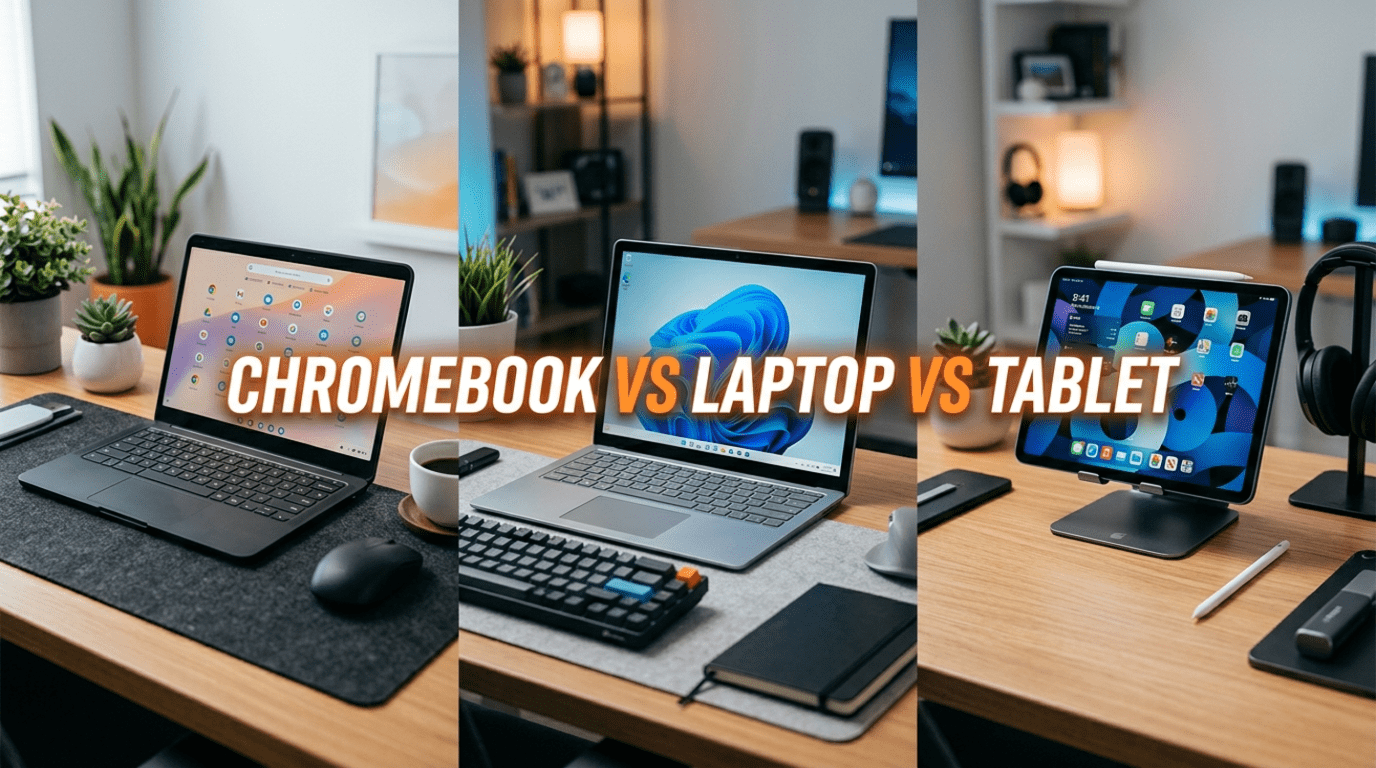
Choosing between a Chromebook vs Laptop vs Tablet is confusing for many students and professionals. Each device promises productivity, portability, and long battery life. However, the best option depends on how you study and work every day.
Therefore, when choosing in the Chromebook vs Laptop vs Tablet debate, picking the right device is important. The right choice can improve productivity and reduce frustration. On the other hand, the wrong device can slow your work every day.
This guide explains the differences in simple language. As a result, you can make a confident decision.
First, Understand the Three Device Types
Before comparing performance, let’s understand what each device does best.
Chromebook Explained Simply
A Chromebook runs ChromeOS, which focuses on web apps and cloud storage. Because of this design, the device stays fast and secure over time. Most tasks happen inside a browser, so performance remains smooth.
For example, students often use Google Docs, Gmail, and YouTube. These apps work perfectly on Chromebooks. In addition, updates install automatically, which saves time and effort.
Windows Laptop Explained Simply
A Windows laptop is a traditional computer that runs full desktop software. Therefore, it supports almost every program available today. Students use it for assignments, coding, and presentations. Meanwhile, professionals rely on it for design and office work.
Because of this flexibility, Windows laptops remain the most powerful option.
Tablet With Keyboard Explained Simply
Tablets have changed a lot in recent years. Today, they can replace laptops for many tasks. When you add a keyboard and stylus, the tablet becomes a productivity device.
As a result, many students prefer tablets for portability and note-taking.
Price Comparison Made Easy
Budget often decides the final choice. Therefore, understanding pricing helps a lot.
Chromebook Pricing
Chromebooks are usually the most affordable option. Entry models start around ₹18,000. Midrange models cost ₹25,000–₹40,000. Premium models reach ₹60,000.
Because ChromeOS is lightweight, expensive hardware is not required.
Windows Laptop Pricing
Windows laptops exist in every price range. Budget models begin around ₹30,000. Midrange laptops cost ₹45,000–₹70,000. Premium models go above ₹70,000.
Therefore, buyers can find a device for almost any budget.
Tablet Pricing
Tablets seem affordable at first. However, accessories increase the total cost. A keyboard and stylus often add thousands of rupees.
As a result, many tablets cost as much as midrange laptops.
Portability and Battery Life Comparison
Students carry devices daily. Therefore, weight and battery life matter a lot.
Chromebook Portability
Chromebooks are thin and lightweight. Battery life usually lasts 8–12 hours. Because of this, they work well for long school days.
Windows Laptop Portability
Portability depends on the model. Ultrabooks are light and portable. Budget laptops feel heavier and last fewer hours.
For example, ultrabooks last 8–10 hours, while budget models last 5–7 hours.
Tablet Portability
Tablets win in portability. They are extremely light and easy to carry. Battery life often reaches 10–14 hours. As a result, tablets are perfect for travel and commuting.
Everyday Performance Comparison
Now let’s compare daily tasks.
Web Browsing and Research
All three devices handle browsing easily. Students use them for research, email, and online classes. However, Chromebooks perform especially well because they are designed for web use.
Therefore, Chromebooks and tablets share the win here.
Office Work and Assignments
Office apps remain essential for students and professionals. Chromebooks use web apps, which work best online. Windows laptops run full desktop apps, so complex work becomes easier. Tablets use mobile apps, which are ideal for light tasks.
Because of this difference, Windows laptops win this category.
Multitasking Performance
Multitasking shows clear differences. Chromebooks handle light multitasking smoothly. However, heavy software slows them down. Windows laptops run many apps at once without problems. Tablets support split screen but struggle with heavy workloads.
Therefore, Windows laptops lead in multitasking.
Typing and Note-Taking Experience
Typing comfort matters during long study sessions. Chromebooks feel like traditional laptops and work well for writing. Windows laptops offer the best typing experience overall. Tablets, however, shine in handwritten notes.
As a result, Windows laptops win for typing, while tablets win for note-taking.
Online Classes and Meetings
Online learning is now part of daily life. Chromebooks start quickly and run video calls smoothly. Windows laptops allow multitasking during meetings. Tablets work well for watching lectures anywhere.
Therefore, Chromebooks and Windows laptops share this win.
Creative Work Comparison
Creative tasks show major differences. Chromebooks support light editing only. Windows laptops run professional software easily. Tablets excel in drawing and sketching.
Because of this, professionals prefer Windows laptops, while artists prefer tablets.
Software Compatibility Comparison
Software availability is a key factor. Chromebooks focus on web apps. Tablets rely on mobile apps. Windows laptops run almost every program.
Therefore, Windows laptops clearly win in compatibility.
Security and Maintenance
Security matters for long-term use. Chromebooks update automatically and need little maintenance. Tablets also stay secure and simple. Windows laptops need antivirus and regular updates.
As a result, Chromebooks and tablets win this category.
Final Decision Guide
Choose a Chromebook if you want simplicity and affordability.
Choose a Windows laptop if you need power and flexibility.
Choose a tablet if you want portability and battery life.
Final Verdict
There is no single winner in the Chromebook vs Laptop vs Tablet comparison. Instead, each device fits a different type of user.
Choosing between these devices ultimately depends on how you work, study, and consume content every day. Chromebooks are ideal for students and casual users who live inside the browser and value simplicity, long battery life, and affordability. Windows laptops, however, remain the most versatile option for multitasking, professional software, and heavy workloads that demand flexibility and power.
Meanwhile, tablets shine for portability, note-taking, reading, and entertainment, especially when paired with a keyboard. In the Chromebook vs Laptop vs Tablet comparison, there is no universal winner because each device solves different problems. The smartest choice is to match the device to your daily tasks, budget, and long-term needs so you invest in technology that genuinely improves productivity and comfort.
Chromebooks offer simplicity and value.
Windows laptops offer power and flexibility.
Tablets offer portability and convenience.
Ultimately, the best device is the one that matches your daily workflow.
Visit: Microsoft Windows official page
Also read: S26 Ultra vs iPhone 17 Pro Max