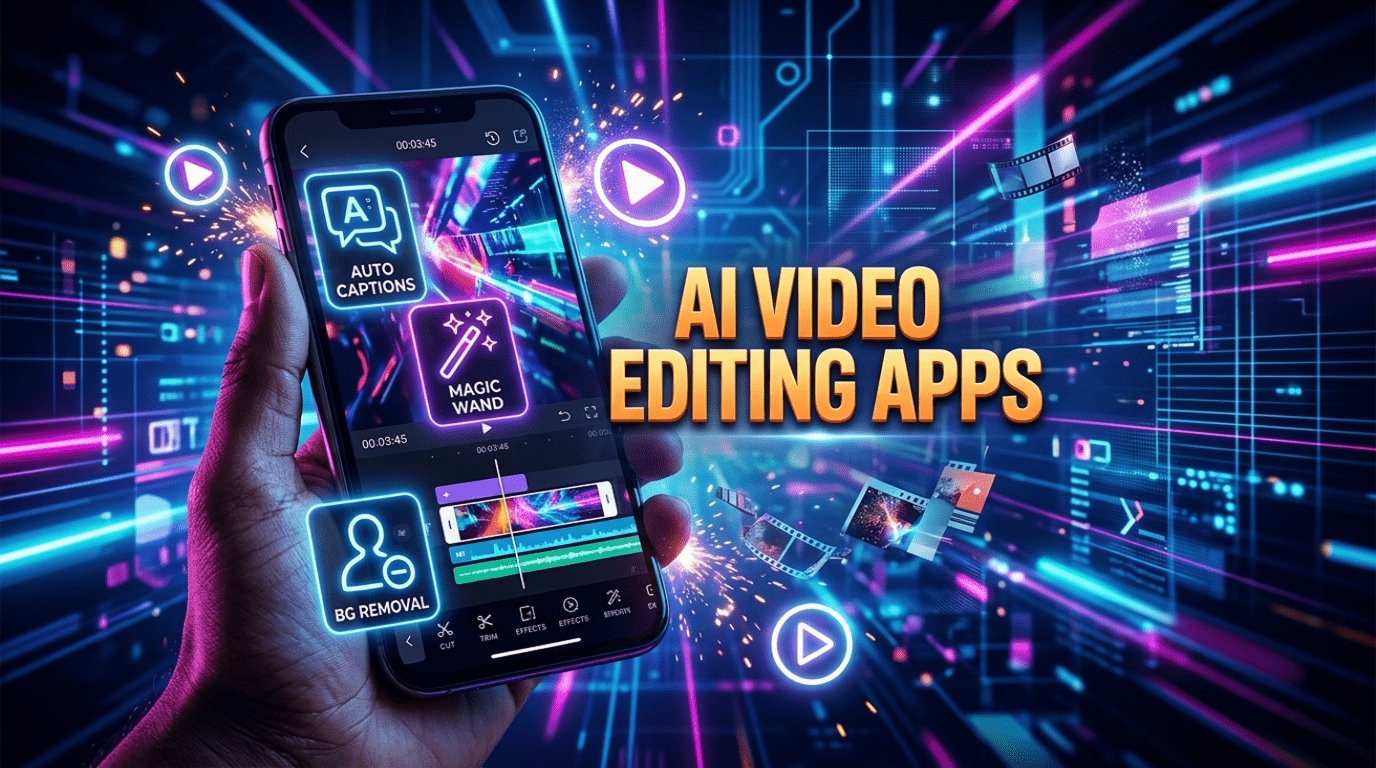
AI video editing apps for Android are transforming how creators produce content in 2026. From automatic captions and smart cutting to background removal and AI voiceovers, modern apps can turn raw footage into professional videos within minutes. Whether you create YouTube videos, Instagram Reels, or business content, choosing the right AI editor can save hours of work and dramatically improve video quality.
In 2026, Android users have access to powerful AI-driven editors that are fast, beginner-friendly, and capable of producing social-media-ready videos without technical knowledge. Whether you create YouTube content, Instagram Reels, TikTok videos, educational content, or business promotions, the right AI video editing app can dramatically improve both quality and workflow.
This guide explores the best AI video editing apps for Android in 2026, how they work, and which one fits your needs.
Why AI Video Editing Is Growing So Fast
Before diving into the apps, it’s important to understand why AI video editing is trending worldwide.
Traditional editing requires:
- Manual cutting and trimming
- Audio syncing
- Color correction
- Caption writing
- Transition creation
AI now automates these tasks using machine learning and computer vision. Modern apps can:
- Detect the best moments in footage
- Remove silences automatically
- Generate subtitles instantly
- Suggest music based on mood
- Stabilize shaky clips
- Resize videos for social platforms
- Create videos from text prompts
This means beginners can produce professional-looking videos in minutes instead of hours.
What Makes a Great AI Video Editing App in 2026
When choosing the best apps for this list, several key factors were considered:
Ease of use: The app should be beginner-friendly.
AI automation features: Auto editing, captions, background removal, or smart effects.
Export quality: Support for HD or 4K export.
Performance on Android: Smooth experience on mid-range devices.
Value for money: Good free version or affordable premium plan.
1. CapCut – Best All-Around AI Video Editor
CapCut remains the most popular AI video editor for Android in 2026, especially for short-form content creators.
Key AI Features
- Auto captions with high accuracy
- AI background removal
- Smart cut and beat sync editing
- AI voiceovers and text-to-speech
- Automatic video templates
- AI upscaling and enhancement
CapCut is designed for speed. You can select clips, choose a template, and the app automatically generates a fully edited video with transitions, music, and captions.
Why It Stands Out
CapCut strikes the perfect balance between beginner-friendly design and powerful features. It works well for social media creators who need fast editing without sacrificing quality.
Best For
- TikTok and Instagram Reels creators
- Beginners starting video editing
- Quick social media content production
2. VN Video Editor – Best AI Editor Without Watermark
VN Video Editor has grown rapidly thanks to its clean interface and powerful editing tools. It combines manual editing with helpful AI automation.
Key AI Features
- AI beat detection for music sync
- Auto subtitles
- Smart transitions and effects
- AI object tracking
- Intelligent speed ramping
Unlike many apps, VN allows watermark-free exports even in the free version, making it very attractive for creators.
Why It Stands Out
It feels closer to professional desktop editing software but remains simple enough for beginners.
Best For
- YouTube creators
- Vloggers
- Users who want control plus AI assistance
3. InShot – Best for Social Media Creators
InShot continues to dominate the mobile editing space thanks to its simplicity and fast workflow.
Key AI Features
- AI auto captions
- Smart background blur
- Automatic aspect ratio conversion
- AI filters and color adjustments
- One-tap video templates
The app focuses on quick editing for social media platforms where speed matters most.
Why It Stands Out
It is incredibly easy to learn. Even first-time editors can produce polished videos within minutes.
Best For
- Instagram and YouTube Shorts
- Daily content creators
- Small business marketing videos
4. KineMaster – Best AI + Professional Controls
KineMaster is ideal for users who want advanced editing features combined with AI assistance.
Key AI Features
- AI voice changer
- AI audio enhancement
- Smart cut tools
- AI-powered effects and overlays
- Automatic scene detection
KineMaster offers timeline editing similar to desktop software, which gives creators more creative control.
Why It Stands Out
It bridges the gap between mobile editing and professional production.
Best For
- Intermediate creators
- Educational content creators
- Advanced mobile editing
5. PowerDirector – Best AI Editing for YouTube Videos
PowerDirector is one of the most powerful AI video editors available on Android.
Key AI Features
- AI sky replacement
- AI anime and cartoon effects
- AI motion tracking
- AI body effects and background removal
- AI noise reduction
It includes many features normally found in desktop video editing software.
Why It Stands Out
It is perfect for long-form YouTube content and cinematic editing on mobile.
Best For
- YouTube creators
- Documentary and cinematic videos
- Users who want desktop-level tools on mobile
6. Filmora – Best AI Editing for Beginners
Filmora’s mobile app brings powerful AI features with a simple interface designed for beginners.
Key AI Features
- AI smart cut
- AI thumbnail generator
- AI text-based editing
- Automatic highlight detection
- AI portrait mode editing
Filmora focuses on reducing editing time dramatically.
Why It Stands Out
It is one of the easiest apps to learn while still offering powerful results.
Best For
- New video creators
- Students and beginners
- Quick video storytelling
7. Alight Motion – Best for Motion Graphics and Effects
Alight Motion stands out for animation and motion graphics powered by AI tools.
Key AI Features
- AI motion smoothing
- Automatic keyframe suggestions
- AI-powered visual effects
- Smart color grading tools
It is often used for advanced visual edits and trending social media effects.
Why It Stands Out
Perfect for creators who want unique, eye-catching visuals.
Best For
- Motion graphics creators
- Advanced social media edits
- Creative video effects
How to Choose the Right App for Your Needs
Choosing the best AI video editing app depends on your content goals.
Choose CapCut or InShot if:
You create short videos daily and want fast results.
Choose VN or KineMaster if:
You want more control and advanced editing tools.
Choose PowerDirector or Filmora if:
You focus on YouTube or long-form content.
Choose Alight Motion if:
You want motion graphics and advanced visual effects.
Free vs Paid AI Video Editors
Most apps follow a freemium model.
Free Versions Usually Include
- Basic editing tools
- Limited AI features
- Watermark on exports (in some apps)
Paid Versions Unlock
- Watermark-free export
- Advanced AI tools
- Premium effects and templates
- Higher export resolution
For regular creators, upgrading is usually worth the investment.
Tips to Get Better Results With AI Video Editing
AI tools are powerful, but results improve when used correctly.
Plan your clips before editing
AI works best when footage is organized and clear.
Use good lighting and audio
AI enhancement works better on high-quality input.
Keep videos short and engaging
Short-form content performs better on most platforms.
Experiment with templates
Templates can save hours of editing time.
Always review AI edits manually
AI speeds up editing, but final human review ensures quality.
The Future of AI Video Editing on Mobile
AI video editing is evolving rapidly. In the next few years, we can expect:
- Full video creation from text prompts
- Real-time video editing during recording
- AI actors and voice generation
- Fully automated YouTube video creation
- Personalized editing styles powered by AI
Mobile devices are becoming powerful enough to handle complex editing tasks that once required professional computers.
Final Thoughts
AI video editing apps for Android have transformed content creation on Android. What once took hours of manual work can now be completed in minutes using smart automation tools. Whether you are a beginner experimenting with short videos or a serious creator producing YouTube content, there is an AI video editor that fits your workflow.
CapCut and InShot are perfect for fast social content, VN and KineMaster offer deeper editing control, while PowerDirector and Filmora bring desktop-level features to mobile devices. Alight Motion stands out for motion graphics and creative effects.
The best approach is to choose an app that matches your content style and start experimenting. With AI doing most of the heavy lifting, creating professional-quality videos on Android has never been easier.
To download any of these AI video editing apps for Android, visit the Google Play Store and search for the app name to install the latest version safely on your device.
Don’t miss: Top AI Voice Clone Apps

One Comment